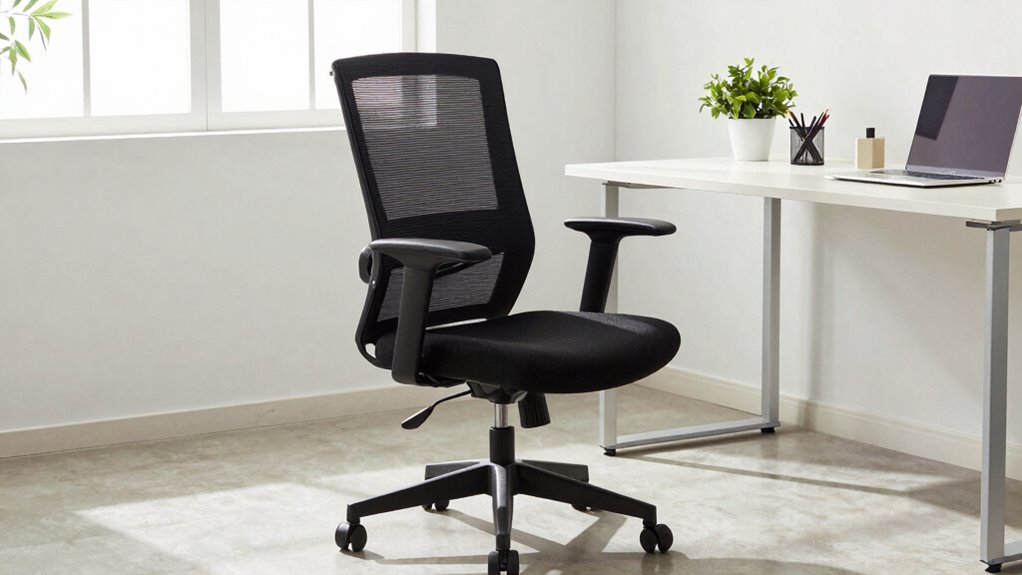

To save your back, guarantee your office chair fits properly by adjusting the height so your feet rest flat on the floor and your knees are at a 90-degree angle. Make sure the lumbar support fits your lower back’s natural curve, and your seat depth leaves a small gap behind your knees. Keep your body aligned — head, neck, and shoulders in a natural position. By fine-tuning these settings, you’ll stay comfortable and avoid strain. Keep going to learn more tips for perfect ergonomic support.
Key Takeaways
- Ensure chair height allows feet flat on the floor with knees at a 90-degree angle.
- Adjust lumbar support to fit the natural curve of your lower back for proper spinal alignment.
- Maintain seat depth with a 2-4 finger gap behind knees to prevent pressure and numbness.
- Set armrests to support shoulders and elbows at a 90-degree angle for optimal comfort.
- Regularly reevaluate and modify chair settings to sustain neutral posture and prevent discomfort.
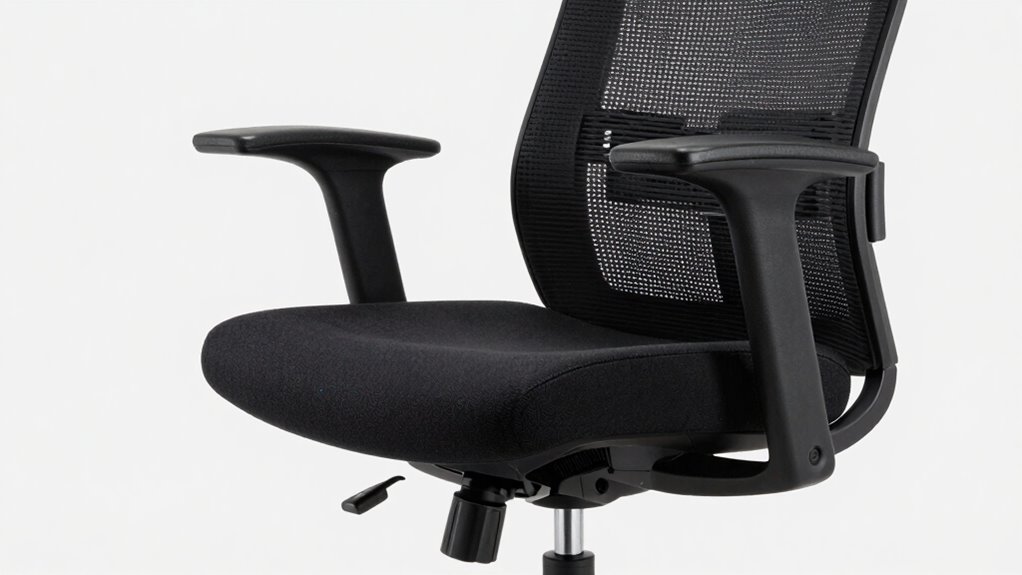
Finding the right office chair is essential for comfort and productivity, but it’s easy to overlook key fit details that can impact your wellbeing. One of the most important aspects is guaranteeing your chair allows for proper ergonomic adjustments. When you sit down, you should be able to modify the height, tilt, and lumbar support easily. Your feet should rest flat on the floor, with knees at roughly a 90-degree angle. If the chair is too high or too low, it can strain your legs and lower back. Adjust the seat height so that your hips are level with or slightly above your knees. This promotes better circulation and reduces fatigue.
Next, check the depth of your seat. You want enough space to sit comfortably without pressure behind your knees. When you sit back, there should be a small gap—about two to four fingers—between the edge of the seat and the back of your knees. Proper ergonomic adjustments here help prevent numbness and promote good posture correction. If your chair has adjustable armrests, position them so your shoulders relax, and your elbows rest comfortably at a 90-degree angle. This minimizes shoulder strain and encourages proper arm positioning.
The lumbar support is another critical element. It should fit the natural curve of your lower back, supporting your spine’s inward curve. If the support is adjustable, set it so that it fills the curve without forcing you into an unnatural position. You want to maintain a neutral, upright posture that reduces pressure on your discs and muscles. Additionally, ensuring that your ergonomic setup aligns with your body can significantly improve comfort and reduce long-term strain. Paying attention to body alignment throughout the day can also help prevent discomfort and promote overall well-being. Regularly adjust your chair to maintain optimal support, especially if you notice any tension or discomfort developing. Proper posture awareness is vital for maintaining these adjustments and avoiding long-term issues.
When your posture is correct, your head, neck, and shoulders align naturally, minimizing strain and preventing long-term discomfort.
ergonomic office chair with adjustable lumbar support
As an affiliate, we earn on qualifying purchases.
As an affiliate, we earn on qualifying purchases.
Frequently Asked Questions
How Often Should I Adjust My Office Chair for Optimal Comfort?
You should adjust your office chair at least once a week to maintain ideal comfort. Regular adjustments promote posture awareness and help prevent strain or discomfort. Make sure your chair height, lumbar support, and armrests are properly aligned to support your body. Additionally, performing routine chair maintenance, like tightening screws and cleaning, guarantees smooth adjustments and prolongs its lifespan. Staying mindful of these habits keeps you comfortable and reduces the risk of back pain.
Can Ergonomic Features Prevent All Types of Back Pain?
Ergonomic features like lumbar support and adjustable armrests considerably reduce certain types of back pain, but they can’t prevent all. Studies suggest that proper support improves alignment and relieves strain, yet other factors like posture habits and underlying health issues also play roles. So, while these features help, maintaining good sitting habits and regular movement are essential for thorough back health. Don’t rely solely on your chair’s features—use them wisely.
What Signs Indicate My Chair No Longer Fits Properly?
If your posture feels strained or you frequently shift to find comfort, your chair might no longer fit properly. Signs include uneven weight distribution, discomfort in your lower back, or your feet not flat on the floor. Regular chair maintenance helps keep it supportive, but you should also do posture correction exercises. When these signs appear, it’s time to adjust your chair or consider a new one to prevent back pain.
Are There Recommended Exercises to Complement an Ergonomic Chair?
Sure, try a hilarious “desk dance” to keep your spine aligned—think exaggerated stretches that make you look like a marionette. Incorporate posture correction exercises and stretch routines like shoulder rolls, neck tilts, and seated spinal twists. These quick moves can prevent back pain, boost circulation, and make your workday feel less like a chore. Remember, a flexible body is a happy, pain-free body—so stretch and dance your way to better posture!
How Does Seat Height Impact Overall Spinal Health?
Your seat height directly impacts your spinal health by affecting lumbar support and seat depth. When your seat is too high, you might strain your lower back or lose proper lumbar support, leading to discomfort. If it’s too low, you may slouch or put pressure on your thighs, compromising posture. Adjust your seat so your feet rest flat, knees are at a 90-degree angle, and your lumbar support aligns with your lower back.
Conclusion
Remember, just like the legendary Goldilocks finding her perfect bed, your office chair should feel just right—supportive yet comfortable. By following this fit checklist, you’re setting yourself up for better posture and fewer aches, turning your workspace into your personal throne. Don’t settle for discomfort; aim for the chair that makes your workday as smooth as a well-oiled chariot. Your back will thank you for choosing wisely—because in this office, comfort is king.