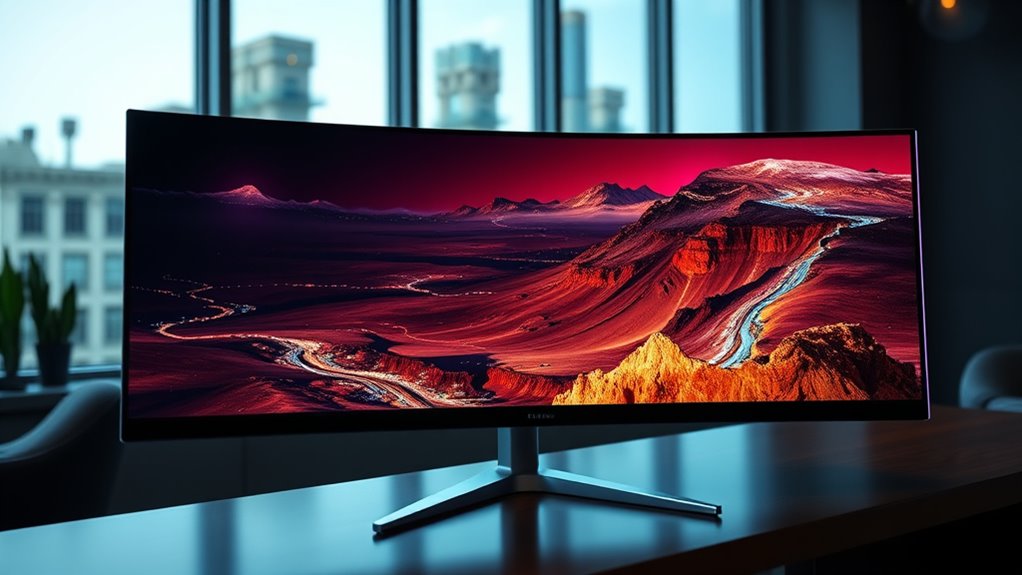

For curved monitors for immersive viewing, I’d start with the Dell 34 Plus USB-C Curved Monitor S3425DW as the best overall pick for its ultrawide workspace and USB-C convenience. The Samsung 49-inch Odyssey G9 G91F stands out for a wraparound gaming and multitasking setup, while the Samsung ViewFinity S65TC is a strong fit for productivity-focused buyers who want a roomy ultrawide. The main tradeoffs are screen width versus desk space, resolution versus sharpness, and gaming features versus work-focused connections. Smaller 27- and 32-inch models are easier to accommodate, but they offer less of the panoramic effect. Read on for the full breakdown and guidance on choosing the right curve, size, and feature set.

Get your wardrobe favorites delivered free with Prime
- Fast, free delivery on millions of items
- Prime Video, Amazon Music and more included
- Member-only deals all year
Key Takeaways
- Ultrawide screens deliver the clearest immersive advantage: the Dell S3425DW and 34-inch ViewFinity models offer a wider workspace than the 27- and 32-inch FHD options without the footprint of a 49-inch display.
- The 49-inch models serve different priorities: the Odyssey G9 G91F is aimed at gaming, while Samsung’s 49-inch Business Curved Ultrawide is geared toward expansive desktop multitasking.
- Resolution matters more as screens get larger: a 32-inch FHD panel has less pixel density than a comparable QHD screen, making the Samsung Odyssey G55C a sharper choice for close-up viewing.
- Refresh rates vary even among ultrawides: the Samsung ViewFinity S5 S55GH and LG 34U60ZB-B pair wide formats with 120Hz, while other models put more emphasis on connectivity or general-purpose use.
- Curvature alone does not create an immersive setup: desk depth, viewing distance, panel resolution, and the games or work you do shape the experience just as much as the screen’s curve.
| Samsung 27-inch Essential S3 S36GD FHD 1800R Curved Monitor |  | Best Compact Pick | Screen size: 27 inches | Resolution: Full HD | Curvature: 1800R | VIEW ON AMAZON | See Our Full Breakdown |
| Samsung 32″ S3 Series FHD 100Hz Curved Monitor |  | Best for Big-Screen FHD | Screen size: 32 inches | Resolution: FHD | Curvature: 1800R | VIEW ON AMAZON | See Our Full Breakdown |
| Samsung ViewFinity S65TC 34-inch Ultra-WQHD Curved Monitor |  | Best for a Connected Ultrawide Workspace | Screen size: 34 inches | Resolution format: Ultra-WQHD | Aspect ratio: 21:9 | VIEW ON AMAZON | See Our Full Breakdown |
| Samsung 49″ Business Curved Ultrawide Dual QHD Computer Monitor (LS49C954UANXZA) |  | Best for Maximum Immersive Workspace | Screen size: 49 inches | Resolution: Dual QHD | Aspect ratio: 32:9 | VIEW ON AMAZON | See Our Full Breakdown |
| LG 34SR63QA-W 34-inch Smart Curved Monitor with webOS, QHD 1440p, USB-C 65W PD, HDR10, 100Hz, White |  | Best for Streaming Without a PC | Screen size: 34 inches | Resolution: QHD (3440×1440) | Aspect ratio: 21:9 | VIEW ON AMAZON | See Our Full Breakdown |
| Samsung 34-Inch Odyssey G5 Ultra-Wide Curved Gaming Monitor |  | Best for Immersive Gaming | Screen size: 34 inches | Resolution: WQHD | Curvature: 1000R | VIEW ON AMAZON | See Our Full Breakdown |
| Samsung 49-Inch Odyssey G9 G91F DQHD Curved Gaming Monitor |  | Best for Maximum Screen Immersion | Screen size: 49 inches | Resolution: DQHD | Aspect ratio: 32:9 | VIEW ON AMAZON | See Our Full Breakdown |
| Samsung 32-Inch Odyssey G55C QHD Curved Gaming Monitor |  | Best Mid-Size Curved Gaming Pick | Screen size: 32 inches | Resolution: QHD | Refresh rate: 165Hz | VIEW ON AMAZON | See Our Full Breakdown |
| Samsung 34″ ViewFinity S5 (S55GH) Ultrawide QHD 120Hz Curved Monitor |  | Best for Work and Play | Screen size: 34 inches | Resolution: Ultrawide QHD (3440×1440) | Refresh rate: 120Hz | VIEW ON AMAZON | See Our Full Breakdown |
| Samsung 27-inch Essential S3 (S36GD) FHD 1800R Curved Monitor |  | Best Compact Entry Point | Brand: Samsung | Model: Essential S3 (S36GD) | Screen size: 27 inches | VIEW ON AMAZON | See Our Full Breakdown |
| LG 34U60ZB-B 34-Inch UltraWide WQHD 120Hz Curved Monitor |  | Best for Wide-Screen Multitasking | Screen size: 34 inches | Aspect ratio: 21:9 | Resolution: 3440 × 1440 (WQHD) | VIEW ON AMAZON | See Our Full Breakdown |
| Samsung 34-Inch ViewFinity S50GC Ultra-WQHD Monitor |  | Best for Multiple Video Sources | Screen size: 34 inches | Aspect ratio: 21:9 | Resolution: Ultra-WQHD | VIEW ON AMAZON | See Our Full Breakdown |
| Samsung ViewFinity S65UA 34-Inch Curved Ultrawide QHD Monitor |  | Best for a Curved USB-C Workstation | Screen size: 34 inches | Aspect ratio: 21:9 | Resolution: Ultra QHD; exact pixel count not specified | VIEW ON AMAZON | See Our Full Breakdown |
| LG 32MR50C-B 32-Inch Curved FHD Monitor, 100Hz, AMD FreeSync, Black |  | Best Entry-Level Curved Screen | Screen size: 32 inches | Display type: Curved VA | Aspect ratio: 16:9 | VIEW ON AMAZON | See Our Full Breakdown |
| Dell 34 Plus USB-C Curved Monitor S3425DW |  | Best Premium All-Rounder | Screen size: 34 inches | Aspect ratio: 21:9 | Resolution: 3440 × 1440 (WQHD) | VIEW ON AMAZON | See Our Full Breakdown |
| curved monitors for immersive viewing | Screen size | Refresh rate | Resolution | Curvature |
|---|---|---|---|---|
| Samsung 27-inch Essential S3 S | 27 inches | 100Hz | Full HD | 1800R |
| Samsung 32" S3 Series FHD 100H | 32 inches | 100Hz | FHD | 1800R |
| Samsung ViewFinity S65TC 34-in | 34 inches | 100Hz | — | 1000R |
| Samsung 49" Business Curved Ul | 49 inches | 120Hz | Dual QHD | 1000R |
| LG 34SR63QA-W 34-inch Smart Cu | 34 inches | 100Hz | QHD (3440×1440) | 1800R |
| Samsung 34-Inch Odyssey G5 Ult | 34 inches | 165Hz | WQHD | 1000R |
| Samsung 49-Inch Odyssey G9 G91 | 49 inches | 144Hz | DQHD | 1000R |
| Samsung 32-Inch Odyssey G55C Q | 32 inches | 165Hz | QHD | 1000R |
| Samsung 34" ViewFinity S5 | 34 inches | 120Hz | Ultrawide QHD (3440×1440) | 1800R |
| Samsung 27-inch Essential S3 | 27 inches | 100Hz | FHD | 1800R |
| LG 34U60ZB-B 34-Inch UltraWide | 34 inches | 120Hz | 3440 × 1440 (WQHD) | 1800R |
| Samsung 34-Inch ViewFinity S50 | 34 inches | 100Hz | Ultra-WQHD | — |
| Samsung ViewFinity S65UA 34-In | 34 inches | 100Hz | Ultra QHD; exact pixel count not specified | 1000R |
| LG 32MR50C-B 32-Inch Curved FH | 32 inches | 100Hz | 1920 × 1080 (Full HD) | — |
| Dell 34 Plus USB-C Curved Moni | 34 inches | 120Hz | 3440 × 1440 (WQHD) | — |
More Details on Our Top Picks
Samsung 27-inch Essential S3 S36GD FHD 1800R Curved Monitor
The 27-inch Essential S3 is the most compact choice here for buyers who want a curved screen without giving over a large desk to an ultrawide. Its 1800R curve adds a gentle wrap to everyday viewing, while Full HD resolution keeps the display requirements modest. The 100Hz refresh rate can make scrolling and compatible games look smoother than on a standard 60Hz screen. Compared with the 32-inch S3, this model is easier to fit into a smaller workspace and avoids stretching Full HD across as much screen area. The tradeoff is limited detail: it cannot match the sharper 34-inch Ultra-WQHD options, and the supplied information does not specify its connection types. Eye-comfort features and adjustable game settings round out a practical, entry-level setup.
Pros:- 27-inch curved display is easier to place than the larger 32- and 34-inch models
- 100Hz refresh rate can make motion and scrolling appear smoother
- TÜV-certified eye-comfort technology addresses blue light and screen flicker
- Adjustable game settings can improve visibility in dark scenes
Cons:- Full HD resolution offers less workspace detail than the Ultra-WQHD and QHD monitors
- Connection types are not specified in the supplied product information
Best for: Buyers with compact desks who want a gently curved monitor for everyday work, streaming, and casual gaming.
Not ideal for: People who want crisp text across a large workspace, detailed ultrawide immersion, or clearly documented port options.
- Screen size:27 inches
- Resolution:Full HD
- Curvature:1800R
- Refresh rate:100Hz
- Eye comfort:TÜV-certified technology to reduce blue light and screen flicker
- Gaming feature:Adjustable game settings
Our verdict“Choose this compact S3 if a modest 1800R curve and 100Hz performance matter more than ultrawide space or higher resolution.”
Samsung 32″ S3 Series FHD 100Hz Curved Monitor
For buyers who want more screen area than the 27-inch Essential S3 without stepping up to an ultrawide, this 32-inch S3 offers a roomy curved viewing surface. Its 1800R curve brings the edges into the viewing experience, and 100Hz support can smooth motion in games and video. Built-in speakers also keep a basic setup tidy, unlike the larger productivity-focused ViewFinity S65TC, which adds a much broader workspace and more elaborate connections. The key compromise is resolution: Full HD spread across 32 inches can look less sharp, particularly with text viewed up close. The refresh rate also defaults to 60Hz, so buyers need to change the setting to use 100Hz. This makes more sense for casual viewing at a comfortable distance than for fine-detail work.
Pros:- 32-inch 1800R display creates a larger, more enveloping view than the 27-inch S3
- 100Hz refresh rate supports smoother motion once enabled
- Built-in speakers reduce the need for separate desktop audio
- Eye Saver Mode and Game Mode support varied viewing and gaming use
Cons:- Full HD resolution can look soft across a 32-inch panel, especially at close range
- Requires a settings change from the default 60Hz to reach 100Hz
Best for: Viewers and casual gamers who want a large curved screen with integrated speakers and do not need high pixel density.
Not ideal for: Close-up office users who prioritize sharp text, or buyers who want an ultrawide workspace and advanced docking features.
- Screen size:32 inches
- Resolution:FHD
- Curvature:1800R
- Refresh rate:100Hz
- Audio:Built-in speakers
- Viewing modes:Eye Saver Mode and Game Mode
- Eye comfort:TÜV-certified eye-comfort technology
Our verdict“Pick the 32-inch S3 for a spacious curved screen and built-in sound, but skip it if you need crisp, high-resolution desktop detail.”
Samsung ViewFinity S65TC 34-inch Ultra-WQHD Curved Monitor
The ViewFinity S65TC pairs a 34-inch, 21:9 screen with a comparatively tight 1000R curve, making it a strong fit for immersive work across wide timelines, documents, and side-by-side windows. Its Ultra-WQHD resolution gives that extra width more useful detail than the Full HD Samsung S3 models. What sets it apart from the LG 34SR63QA-W is its Thunderbolt 4 connection with 90W charging, plus Ethernet, a USB hub, and a KVM switch for sharing peripherals between two sources. Those workstation extras bring real convenience, but also make this a more equipment-focused pick than a simple entertainment display. Its 34-inch width needs room, and the 21:9 format may not suit every workflow or video source. HDR10 and 100Hz support broaden its uses beyond office tasks.
Pros:- 34-inch Ultra-WQHD 21:9 display provides detailed space for side-by-side work
- 1000R curvature gives the wide screen a more enveloping viewing feel
- Thunderbolt 4 supports connectivity and up to 90W device charging
- KVM, Ethernet, USB hub, and adjustable stand suit flexible workstations
Cons:- Large ultrawide panel demands substantial desk space
- The 21:9 format may not fit every workspace or video-viewing preference
Best for: Laptop-based professionals who want an immersive 34-inch workspace, one-cable charging, and shared control of two computers.
Not ideal for: Buyers with shallow or narrow desks, or those who mainly want a straightforward monitor for streaming and do not need workstation connectivity.
- Screen size:34 inches
- Resolution format:Ultra-WQHD
- Aspect ratio:21:9
- Curvature:1000R
- Refresh rate:100Hz
- HDR:HDR10
- Connectivity:Thunderbolt 4, HDMI, DisplayPort, USB hub, and LAN
- Thunderbolt charging:Up to 90W
- Additional features:AMD FreeSync, KVM, Picture-in-Picture, and Picture-by-Picture
Our verdict“Choose the S65TC if you want a curved ultrawide that can anchor a connected laptop workstation rather than just display a picture.”
Samsung 49″ Business Curved Ultrawide Dual QHD Computer Monitor (LS49C954UANXZA)
The 49-inch Samsung Business Curved Ultrawide is the most expansive choice in this group: its 32:9 Dual QHD screen can replace a two-monitor-style workspace with one continuous curved view. The 1000R curve helps bring the far edges into the viewing arc, while 120Hz support is a step up from the 100Hz 34-inch models for smoother motion. Its USB-C connection supplies up to 90W of power, so a compatible laptop can connect and charge through one cable. Compared with the 34-inch ViewFinity S65TC, this model offers far more width, but it takes up substantially more desk space and lacks the listed Thunderbolt 4, Ethernet, and KVM features. DisplayHDR 400 adds HDR support, though it is not a high-brightness HDR option.
Pros:- 49-inch 32:9 Dual QHD panel creates an exceptionally broad continuous workspace
- 1000R curve helps the screen feel more cohesive from edge to edge
- 120Hz refresh rate offers smoother motion than the 100Hz models in this batch
- USB-C with 90W power delivery can reduce laptop cable clutter
Cons:- The large footprint calls for a wide desk and careful placement
- DisplayHDR 400 offers more limited brightness than higher-tier HDR formats
Best for: Multitaskers and immersive-viewing fans with a wide desk who want a single screen for several open windows and a USB-C laptop connection.
Not ideal for: Buyers with limited desk space, those who need a compact monitor, or viewers seeking higher-tier HDR brightness.
- Screen size:49 inches
- Resolution:Dual QHD
- Aspect ratio:32:9
- Curvature:1000R
- Refresh rate:120Hz
- HDR support:VESA DisplayHDR 400
- Connectivity:USB-C (90W), DisplayPort, 2x HDMI, and USB
- Audio:Built-in speakers
- Stand:Height adjustable
Our verdict“Choose this 49-inch model when maximum curved-screen width is the goal and your desk can accommodate its substantial footprint.”
LG 34SR63QA-W 34-inch Smart Curved Monitor with webOS, QHD 1440p, USB-C 65W PD, HDR10, 100Hz, White
The LG 34SR63QA-W brings a different kind of immersion to the lineup: its 34-inch, 21:9 curved screen pairs a roomy desktop with webOS streaming apps, so entertainment does not depend on a connected computer. QHD resolution at 3440×1440 gives it more workspace detail than either Samsung S3, while the gentler 1800R curve is less enveloping than the 1000R curves on the ViewFinity S65TC and 49-inch Samsung. USB-C provides up to 65W charging, and AirPlay 2 adds a convenient route for casting compatible content. That makes it a flexible home-office and media screen, though the ViewFinity S65TC is better equipped for complex workstation setups with Thunderbolt 4, Ethernet, and KVM. The LG’s stand offers tilt adjustment only, and the Magic Remote is sold separately.
Pros:- 34-inch 21:9 QHD screen combines immersive viewing with useful desktop space
- webOS provides access to streaming apps without a connected computer
- USB-C supports up to 65W laptop charging
- AirPlay 2 and HomeKit add wireless integration with compatible Apple devices
Cons:- Stand adjustment is limited to tilt, with no height adjustment specified
- Magic Remote is sold separately
- Its 1800R curve is gentler than the 1000R curve on the ViewFinity S65TC
Best for: Home-office users who want a curved ultrawide for laptop work and built-in streaming apps for viewing without a PC.
Not ideal for: Buyers who need height-adjustable ergonomics, a tighter immersive curve, or the workstation switching and connectivity features of the ViewFinity S65TC.
- Screen size:34 inches
- Resolution:QHD (3440×1440)
- Aspect ratio:21:9
- Curvature:1800R
- Refresh rate:100Hz
- HDR support:HDR10
- Connectivity:USB-C (65W PD), 2x HDMI, 2x USB 3.0, and headphone jack
- Smart features:webOS, streaming apps, AirPlay 2, and HomeKit
- Color gamut:99% sRGB
Our verdict“Pick the LG if you want one curved ultrawide for laptop tasks and standalone streaming, and can work with tilt-only stand adjustment.”
Samsung 34-Inch Odyssey G5 Ultra-Wide Curved Gaming Monitor
The 34-inch ultrawide screen and tight 1000R curve make this a strong choice for games that benefit from a broad, wraparound view. Its WQHD resolution gives that extra width useful detail, while 165Hz refresh and AMD FreeSync Premium are better suited to fast play than the ViewFinity S5’s 120Hz focus on work and mixed use. The VA panel and HDR10 support add contrast and color support, though HDR10 alone does not tell me how bright or vivid HDR will look in practice. The steep curve is immersive when seated centrally, but can feel pronounced for shared viewing or flat-screen tasks. I’d choose this over the 32-inch Odyssey G55C for a wider field of view, but the larger footprint asks for more desk space.
Pros:- 34-inch ultrawide format gives games a wider field of view than the 32-inch Odyssey G55C.
- 1000R curve wraps the image closely around a centered viewing position.
- 165Hz refresh rate and FreeSync Premium support smoother, tear-reduced gameplay.
- WQHD resolution offers more detail across the wide screen than an FHD display.
Cons:- The steep 1000R curve is less suited to shared viewing and may feel strong in everyday desktop use.
- The 34-inch screen needs more desk space than the compact Essential S3.
- HDR10 is specified, but brightness and other HDR performance details are not provided.
Best for: PC gamers who want a wide, tightly curved screen and prioritize high refresh rates for solo play.
Not ideal for: People sharing the display from different seating positions, or buyers with limited desk depth who may find the large screen and 1000R curve imposing.
- Screen size:34 inches
- Resolution:WQHD
- Curvature:1000R
- Refresh rate:165Hz
- Response time:1ms MPRT
- Panel type:VA
- HDR:HDR10
- Adaptive sync:AMD FreeSync Premium
Our verdict“Choose this for a strongly curved ultrawide gaming view with a 165Hz refresh rate, provided your desk and seating position suit its size.”
Samsung 49-Inch Odyssey G9 G91F DQHD Curved Gaming Monitor
If a single screen should fill the view, the 49-inch, 32:9 DQHD panel is the most expansive pick here. Its 1000R curve brings the edges toward the viewer, while the 144Hz refresh rate and FreeSync Premium Pro support responsive play. Compared with the 34-inch Odyssey G5, the G9 offers a much broader panoramic canvas and stronger specified HDR support with DisplayHDR 600, but gives up some refresh-rate headroom and demands far more desk space. Split-screen, picture-in-picture, and Auto Source Switch+ make that width useful beyond gaming, especially when keeping multiple sources visible. I’d skip it if the desk is shallow or you need a stand with clearly specified height adjustment; the supplied details describe tilt adjustment only.
Pros:- 49-inch 32:9 DQHD display creates the broadest panoramic view in this selection.
- 1000R curve helps bring the wide screen edges into the viewing area.
- DisplayHDR 600 and FreeSync Premium Pro add specified HDR and adaptive-sync support.
- Split-screen, picture-in-picture, and Auto Source Switch+ support multi-source use.
Cons:- The 49-inch width requires substantial desk space and a suitable viewing distance.
- At 144Hz, its refresh rate is lower than the 165Hz Odyssey G5 and G55C.
- Only tilt adjustment is specified, limiting confidence about ergonomic positioning.
Best for: Gamers and multitaskers with a large desk who want one panoramic screen for games, multiple windows, or multiple input sources.
Not ideal for: Buyers with compact desks, frequent shared-viewing needs, or a requirement for clearly specified height and swivel adjustment.
- Screen size:49 inches
- Resolution:DQHD
- Aspect ratio:32:9
- Curvature:1000R
- Refresh rate:144Hz
- Response time:1ms
- HDR:DisplayHDR 600
- Adaptive sync:AMD FreeSync Premium Pro
- Model:LS49FG910ENXZA
Our verdict“Pick the G9 if you want the widest, most feature-rich panoramic experience and have room to accommodate its size.”
Samsung 32-Inch Odyssey G55C QHD Curved Gaming Monitor
The 32-inch QHD screen balances a more enveloping view than a standard desktop display with a footprint below the 34-inch Odyssey G5 and 49-inch G9. Its 1000R curve is still pronounced, so the image feels centered around one seated player rather than a group. At 165Hz with AMD FreeSync, it matches the G5’s listed refresh rate and gives fast-moving games smoothness support, but it lacks the G5’s ultrawide format for a broader horizontal view. HDR10 and Eye Saver Mode add useful support for varied content and longer sessions, though the stated 1ms MPRT depends on Extreme mode and test conditions. I’d favor this over the Essential S3 for sharper QHD gaming, while buyers seeking ultrawide immersion should step up to the G5.
Pros:- QHD resolution provides more detail than the Essential S3’s FHD display.
- 165Hz refresh rate and AMD FreeSync suit responsive gaming.
- 1000R curve creates a close, centered viewing experience.
- Eye Saver Mode and reduced flicker support extended sessions.
Cons:- The 1ms MPRT figure depends on Extreme mode and test conditions.
- Its standard-width format is less panoramic than the 34-inch Odyssey G5.
- Connectivity and stand details are not provided.
Best for: PC gamers seeking QHD detail and a high refresh rate in a curved screen that is less wide than a 34-inch ultrawide.
Not ideal for: Buyers who want a panoramic 21:9 or 32:9 field of view, or who need confirmed connectivity and stand details before purchasing.
- Screen size:32 inches
- Resolution:QHD
- Refresh rate:165Hz
- Response time:1ms MPRT
- Curvature:1000R
- HDR:HDR10
- Adaptive sync:AMD FreeSync
- Eye comfort:Eye Saver Mode and reduced screen flicker
Our verdict“Choose the G55C for QHD, high-refresh curved gaming in a mid-size format, not for the widest possible field of view.”
Samsung 34″ ViewFinity S5 (S55GH) Ultrawide QHD 120Hz Curved Monitor
The ViewFinity S5 makes the most sense for people who want 34-inch ultrawide workspace first and gaming smoothness as a bonus. Its 3440×1440 resolution and 21:9 format give documents and apps room side by side, while 120Hz and FreeSync Premium offer a smoother experience than a conventional 60Hz work monitor. The 1800R curve is gentler than the 1000R Odyssey G5 and G55C, so it is less forceful for spreadsheets or shared viewing, though it also feels less wrapped around the player. HDR10 supports a broad color range, but this listing does not specify a brightness tier. Unlike the gaming-focused G5, it lists HDMI and DisplayPort and TÜV-certified Eye Saver Mode, yet its lower refresh ceiling makes it the less specialized choice for competitive play.
Pros:- 3440×1440 ultrawide resolution creates room for multiple work windows.
- The 1800R curve is gentler than the 1000R gaming models in this lineup.
- 120Hz refresh rate and FreeSync Premium support smoother motion.
- HDMI, DisplayPort, and TÜV-certified Eye Saver Mode are specified.
Cons:- 120Hz is below the 165Hz refresh rates of the Odyssey G5 and G55C.
- The 1800R curve provides a subtler wraparound effect than the 1000R models.
- No built-in speakers are mentioned, and HDR brightness details are not specified.
Best for: Professionals and multitaskers who want a curved ultrawide for side-by-side windows, with enough refresh rate for casual gaming.
Not ideal for: Competitive gamers prioritizing 165Hz or buyers seeking the tightly wrapped 1000R immersion of the Odyssey G5.
- Screen size:34 inches
- Resolution:Ultrawide QHD (3440×1440)
- Refresh rate:120Hz
- Curvature:1800R
- Aspect ratio:21:9
- HDR support:HDR10
- Adaptive sync:AMD FreeSync Premium
- Ports:HDMI, DisplayPort
- Eye comfort:TÜV-certified Eye Saver Mode
Our verdict“Choose the ViewFinity S5 for a gentler curved ultrawide that supports work and casual gaming better than competitive play.”
Samsung 27-inch Essential S3 (S36GD) FHD 1800R Curved Monitor
The Essential S3 is the compact, straightforward option for buyers who want a curved screen without moving to a 32-inch or ultrawide setup. Its 27-inch size and gentler 1800R curve give a mild sense of depth, rather than the close wraparound effect of the 1000R Odyssey G55C. The 100Hz refresh rate is a step up from basic 60Hz motion, and Game Mode offers an easy gaming-oriented image setting. But FHD resolution is a clear compromise: compared with the G55C’s QHD panel, fine detail is lower, especially across a similar desktop viewing distance. TÜV-certified eye comfort is a useful addition for long sessions. I’d choose it for a modest gaming and everyday setup, not for buyers seeking high-detail, wide-format immersion.
Pros:- 27-inch size is more manageable than the 32-inch and 34-inch curved options.
- 1800R curve adds a subtle immersive effect without the steepness of 1000R.
- 100Hz refresh rate and Game Mode support casual gaming.
- TÜV-certified technology reduces blue light and screen flicker.
Cons:- FHD resolution offers less detail than the QHD Odyssey G55C.
- The smaller screen and standard format are less immersive than the ultrawide models.
- Specific connection types are not listed.
Best for: First-time curved-monitor buyers or casual gamers who want a modest 27-inch screen and do not need QHD detail.
Not ideal for: Players who want a sharply detailed QHD image, a wide panoramic view, or clearly listed connection options.
- Brand:Samsung
- Model:Essential S3 (S36GD)
- Screen size:27 inches
- Resolution:FHD
- Curvature:1800R
- Refresh rate:100Hz
- Eye comfort:TÜV-certified technology reduces blue light and screen flicker
Our verdict“Pick the Essential S3 for an accessible, compact curved setup, but choose a QHD or ultrawide model for greater image detail and immersion.”
LG 34U60ZB-B 34-Inch UltraWide WQHD 120Hz Curved Monitor
The LG 34U60ZB-B pairs a 34-inch, 21:9 WQHD canvas with an 1800R curve, giving side-by-side windows room to breathe while keeping the edges within a comfortable viewing arc. Its 120Hz refresh rate is a step up from the Samsung ViewFinity S50GC at 100Hz, which can make scrolling and supported games feel smoother. HDR10 and up to 99% sRGB add flexibility for everyday media and color-conscious work, though this is not a dedicated HDR display. Height and tilt adjustment are practical advantages for a long desk session. The tradeoff is a 5ms response time rather than a speed-focused gaming spec, and getting the full refresh rate depends on the computer and setup. Some software features also require installation.
Pros:- 34-inch 21:9 WQHD screen supports side-by-side work without a second monitor.
- 120Hz refresh rate offers smoother motion than the Samsung ViewFinity S50GC’s 100Hz.
- Height and tilt adjustments help tailor the screen position.
- Reader Mode provides a warmer, lower-blue-light viewing option.
Cons:- The 5ms response time is less suited to competitive play than faster gaming-focused options.
- The computer and connection setup may limit access to the full 120Hz refresh rate.
- Some software features require installation.
Best for: People who keep several work windows open and want a curved ultrawide that can also handle casual gaming and video.
Not ideal for: Competitive gamers seeking the fastest response or buyers who need a compact monitor for a shallow desk.
- Screen size:34 inches
- Aspect ratio:21:9
- Resolution:3440 × 1440 (WQHD)
- Curvature:1800R
- Refresh rate:120Hz
- Response time:5ms
- Color coverage:Up to 99% sRGB
- Connectivity:DisplayPort, HDMI, headphone jack
- Adjustments:Height and tilt
Our verdict“Choose the LG 34U60ZB-B if a roomy curved workspace and 120Hz motion matter more than competitive-gaming response speed.”
Samsung 34-Inch ViewFinity S50GC Ultra-WQHD Monitor
The Samsung ViewFinity S50GC is a practical pick for viewers who want an ultrawide workspace and regularly connect more than one device. Its Picture-by-Picture and Picture-in-Picture modes let two sources share the screen, a feature the LG 34U60ZB-B does not list. The 21:9 Ultra-WQHD panel, HDR10, and 3000:1 contrast ratio suit films and broad work layouts, while 100Hz and AMD FreeSync support smoother casual gaming. It gives up some motion headroom to the LG’s 120Hz refresh rate, and its 5ms response time is not aimed at competitive play. Eye-care features, including ambient brightness adjustment and flicker reduction, make long sessions easier to tailor. With three listed video inputs, though, it offers less connection variety than a USB-C-equipped alternative such as the ViewFinity S65UA.
Pros:- Picture-by-Picture and Picture-in-Picture support viewing multiple sources at once.
- 21:9 Ultra-WQHD panel provides broad space for media and multitasking.
- 100Hz refresh rate and AMD FreeSync support smoother motion.
- Ambient brightness adjustment, blue-light reduction, and flicker reduction support extended viewing.
Cons:- 100Hz refresh rate is lower than the LG 34U60ZB-B’s 120Hz.
- 5ms response time is not a strong fit for competitive gaming.
- Three listed video inputs limit connection options compared with USB-C models.
Best for: People who switch between a work computer and another video source and want to view both on one curved ultrawide.
Not ideal for: Competitive gamers or laptop users who want a one-cable USB-C connection with charging.
- Screen size:34 inches
- Aspect ratio:21:9
- Resolution:Ultra-WQHD
- Refresh rate:100Hz
- Response time:5ms
- Contrast ratio:3000:1
- HDR:HDR10
- Adaptive sync:AMD FreeSync
- Video inputs:2 × HDMI 2.2, 1 × DisplayPort 1.2
Our verdict“Pick the ViewFinity S50GC if showing two connected sources on a single ultrawide matters more than USB-C convenience or higher refresh rates.”
Samsung ViewFinity S65UA 34-Inch Curved Ultrawide QHD Monitor
The Samsung ViewFinity S65UA makes the most sense for laptop owners building a tidy, immersive desk setup. Its standout is USB-C with up to 90W charging, which can carry data and power through one connection instead of the separate cable arrangement needed by the LG 34U60ZB-B. The 34-inch, 21:9 screen uses a tight 1000R curve that wraps the broad display more closely around the viewer than the LG’s 1800R design. That can feel engaging across the full width, though the pronounced curve may not suit every desk or viewer. At 100Hz with FreeSync, it handles everyday motion and casual gaming, but it trails the LG’s 120Hz refresh rate. Its large footprint and unspecified exact QHD pixel count make it less straightforward for space-constrained or resolution-sensitive buyers.
Pros:- USB-C supports data transfer and up to 90W laptop charging.
- 1000R curvature brings the edges of the wide screen closer around the viewing position.
- 100Hz refresh rate and AMD FreeSync suit everyday motion and casual gaming.
- Height-adjustable stand and TUV-certified eye-care features support workstation use.
Cons:- The 34-inch panel needs substantial desk space.
- The supplied description does not state the exact QHD pixel resolution.
- Its 100Hz refresh rate is below the LG 34U60ZB-B’s 120Hz.
Best for: Laptop users who want a pronounced curved ultrawide, a height-adjustable stand, and single-cable charging at a desk.
Not ideal for: Buyers with limited desk depth, those who prefer a gentler curve, or anyone who needs a clearly specified pixel resolution.
- Screen size:34 inches
- Aspect ratio:21:9
- Resolution:Ultra QHD; exact pixel count not specified
- Curvature:1000R
- Refresh rate:100Hz
- USB-C power delivery:Up to 90W
- Adaptive sync:AMD FreeSync
- Color support:1 billion colors
- Stand:Height-adjustable
Our verdict“Choose the S65UA for a laptop-centered desk where 90W USB-C charging and a wraparound 1000R curve take priority over refresh rate.”
LG 32MR50C-B 32-Inch Curved FHD Monitor, 100Hz, AMD FreeSync, Black
The LG 32MR50C-B offers a simpler, more compact route into curved viewing than the 34-inch ultrawides in this group. Its 32-inch, 16:9 Full HD panel and 100Hz refresh rate suit everyday browsing, video, and casual play without asking buyers to accommodate an ultrawide format. AMD FreeSync can help reduce tearing in supported games, while Reader Mode and Black Stabilizer add useful viewing and game-visibility options. The compromise is resolution: at 1920 × 1080 across 32 inches, it provides less detail and workspace than the WQHD LG 34U60ZB-B or the Samsung ViewFinity S50GC. Its tilt-only stand also offers less positioning flexibility than the height-adjustable models. I would choose it for straightforward use and skip it for detailed multitasking or a sharper, more enveloping movie setup.
Pros:- 32-inch curved 16:9 format is a simpler fit than a 34-inch ultrawide.
- 100Hz refresh rate supports smoother motion than a standard 60Hz display.
- AMD FreeSync helps reduce tearing in compatible games.
- Reader Mode and Black Stabilizer offer practical viewing and gaming controls.
Cons:- Full HD resolution provides less detail than the WQHD LG 34U60ZB-B and Samsung ViewFinity S50GC.
- Tilt-only adjustment provides less positioning flexibility than height-adjustable models.
- The 16:9 screen offers less horizontal workspace and cinematic width than the 21:9 options.
Best for: First-time curved-monitor buyers who want a familiar widescreen format for everyday use and casual gaming.
Not ideal for: People who need crisp text at close range, high-resolution multitasking, or an ultrawide cinema-style view.
- Screen size:32 inches
- Display type:Curved VA
- Aspect ratio:16:9
- Resolution:1920 × 1080 (Full HD)
- Refresh rate:100Hz
- Adaptive sync:AMD FreeSync
- Stand adjustment:Tilt
- Listed features:Reader Mode, OnScreen Control, Black Stabilizer
Our verdict“Choose the LG 32MR50C-B if you want an accessible curved screen for everyday tasks, but pick a 34-inch WQHD model for immersive ultrawide detail.”
Dell 34 Plus USB-C Curved Monitor S3425DW
The Dell 34 Plus S3425DW brings together the strongest mix of motion, color, and desk connectivity in this set. Its 34-inch WQHD 21:9 panel pairs 120Hz with AMD FreeSync Premium, making it more game-ready on paper than the 100Hz Samsung ViewFinity S50GC. The stated 0.03ms response time, 3000:1 contrast ratio, and coverage of 99% sRGB and 95% DCI-P3 point to a versatile screen for gaming, work, and vivid media. USB-C supplies up to 65W, plus four USB ports, for a cleaner laptop setup than the LG 34U60ZB-B. Its brightness tops out at 300 nits, and its 20.7-pound weight calls for a sturdy desk or suitable arm. I would favor it for versatility, not a bright-room setup.
Pros:- 120Hz refresh rate and AMD FreeSync Premium support smooth gaming and work.
- 99% sRGB and 95% DCI-P3 coverage suit color-rich media and creative tasks.
- USB-C offers up to 65W power delivery, with four USB ports for peripherals.
- 3000:1 contrast ratio supports deeper-looking dark scenes.
Cons:- 300-nit brightness may be limiting in bright rooms.
- At 20.7 pounds, it needs a sturdy desk or monitor arm.
- Its 65W USB-C charging is lower than the ViewFinity S65UA’s 90W.
Best for: Laptop users who want one curved WQHD screen for gaming, color-rich media, and work with USB-C connectivity.
Not ideal for: Buyers who need high brightness for a sunlit room or a lightweight monitor that is easy to reposition.
- Screen size:34 inches
- Aspect ratio:21:9
- Resolution:3440 × 1440 (WQHD)
- Panel type:VA
- Refresh rate:120Hz
- Response time:0.03ms
- Color gamut:99% sRGB, 95% DCI-P3
- Connectivity:USB-C (65W power delivery), 2 × HDMI, 4 × USB
- Brightness:300 nits
Our verdict“Choose the Dell S3425DW if you want a feature-rich curved ultrawide for work and gaming and have a sturdy, moderately lit setup.”
How We Picked
I ranked these 15 monitors by how well their screen size, resolution, and curve support immersive viewing, then weighed practical factors that affect daily use: refresh rate, connectivity, intended workload, and the space each screen needs. A wide display can make games and side-by-side windows feel more enveloping, but its benefit drops if resolution looks soft at the intended viewing distance or the monitor overwhelms the desk.
The order favors balanced fit over the biggest specification. The Dell S3425DW leads for its mix of ultrawide viewing and USB-C utility; expansive 49-inch picks rank highly for buyers who can accommodate their scale, but are less universal. I placed compact FHD screens lower for immersive use, while retaining them as sensible entry points for smaller desks and everyday tasks. Model names and feature sets also distinguish similar-looking options: refresh rate, smart features, and work-focused connections can shift which monitor suits a buyer best.
Factors to Consider When Choosing Curved Monitors For Immersive Viewing
Choosing a curved monitor for immersion is less about chasing the largest screen and more about matching field of view, sharpness, and setup constraints. These broader factors can help you decide which tradeoffs will matter after the novelty of a curved panel wears off.
Match Screen Width to Your Desk and Viewing Distance
A wider monitor can replace two displays and keep a game or film spread across more of your vision, but it needs enough desk width and depth to sit at a comfortable distance. Measure the usable surface, including space for a keyboard, speakers, and any monitor arm, rather than relying on the diagonal size alone. Very wide panels can feel poorly balanced when viewed too close, while a small curved screen may not wrap around enough to create a strong panoramic effect. A 34-inch ultrawide is often a more manageable starting point than a 49-inch model. Choose the larger format only if your seating position lets you take in the full screen without frequent head turns.
Judge Resolution Against Panel Size
Resolution needs to scale with the display area: spreading the same number of pixels across more inches makes text and fine details look less crisp. This is why FHD can be a more noticeable compromise on a 32-inch monitor than on a 27-inch one, especially for close desktop work. QHD and Ultra-WQHD formats provide more workspace and detail, though they also ask more of a computer’s graphics hardware when gaming. Before buying, check whether your main use is reading, creative work, or games at native resolution. A large screen is not automatically more immersive if image detail looks coarse from your usual seat.
Choose Curvature for the Content You Watch and Play
Curvature is most useful when the screen is wide enough that its edges sit far from your central viewing position. It can help keep those edges within a more consistent viewing angle, but the effect is less pronounced on compact displays. Many films and games do not fill an ultrawide aspect ratio, so you may see black bars or cropped content depending on the source and settings. For work, curved screens can make a broad desktop easier to scan, though straight lines may feel unusual at first in design tasks that demand precise geometry. Think about your most common content before treating a stronger curve as an automatic upgrade.
Separate Gaming Smoothness From Immersion
A wide screen adds peripheral scenery, while a higher refresh rate makes motion look smoother; these are different benefits, and buyers should decide which matters more. The roundup includes 100Hz and 120Hz options alongside gaming-focused Odyssey models, so check the exact model’s refresh rate rather than assuming every curved monitor is built for fast play. Your computer must also be able to drive the chosen resolution at the desired frame rate. A 49-inch high-resolution display can be demanding, especially in graphically intensive games. If your system is modest, a smaller QHD model may deliver a better balance of sharpness and responsive play.
Count Ports, Power, and Smart Features as Part of the Setup
Connectivity can determine whether a monitor simplifies your desk or adds another hub and power brick. USB-C power delivery, as offered by the LG 34SR63QA-W, can connect and charge a compatible laptop through one cable, while other models may better suit a fixed desktop arrangement. Smart features such as webOS can be useful when you want streaming without turning on a computer, but they may add little value if the monitor will always run from a PC. Check the port types, charging wattage, and device compatibility against your actual laptop or desktop. A feature is only useful when it removes a real friction point in your setup.
Plan for Ergonomics and Long-Term Use
Large curved monitors can dominate a room and may need a sturdy desk or a compatible mount, so check the stand footprint and mounting support before ordering. Position the screen so its center is near eye level and the entire panel remains easy to scan without turning your neck repeatedly. A very wide monitor can reduce the need for multiple displays, but it also makes window management and screen sharing less straightforward. For mixed work and entertainment, consider how often you switch devices and whether the monitor’s inputs make that easy. Paying more for a larger screen makes sense only if its extra space fits your routine and physical setup.
Frequently Asked Questions
Is a 34-inch ultrawide more immersive than a 32-inch curved monitor?
For a panoramic desktop or a game that supports ultrawide output, a 34-inch model usually feels more enveloping because it gives you extra horizontal space. A 32-inch monitor can still suit a closer viewing distance and may be easier to fit on a smaller desk. Resolution also changes the comparison: the QHD Samsung Odyssey G55C offers more detail than the FHD 32-inch options in this lineup. Check the aspect ratio supported by your favorite games and apps, since some content may not use the full ultrawide screen. Pick based on content and desk fit, not diagonal measurement alone.
Will an ultrawide curved monitor work well with a laptop?
It can, but the connection and laptop’s graphics capability matter. The LG 34SR63QA-W includes USB-C with 65W power delivery, which can reduce cable clutter for compatible laptops that need no more than that charging capacity. Other displays may require separate video and power connections, so inspect the available ports before choosing. A laptop may also struggle to run demanding games at an ultrawide resolution even if it can display the desktop. For work, confirm that your operating system and apps support the resolution and window layouts you want.
Should I choose a 49-inch monitor instead of two separate screens?
A 49-inch display can create a continuous workspace without a bezel between applications, which can help with broad timelines, spreadsheets, or panoramic games. Two separate monitors offer more flexibility in placement and can make it easier to dedicate one screen to a different device or task. The Samsung Odyssey G9 G91F is oriented toward gaming, while Samsung’s 49-inch Business Curved model targets desktop productivity, so the intended use should guide the choice. A 49-inch panel also needs substantial desk space and may call for a more capable graphics setup. Choose it if you value one uninterrupted surface and have room for its scale.
Is FHD enough for an immersive curved monitor?
FHD can be adequate on a smaller screen for everyday browsing, streaming, and general use, particularly when viewed from a suitable distance. On larger panels, the lower pixel density can make text and fine details look less crisp, which can undermine immersion during close-up use. In this roundup, the 27-inch Samsung Essential S3 is a more natural FHD fit than the 32-inch FHD models for buyers who prioritize compact size. QHD or Ultra-WQHD is a better direction if sharp detail and extra desktop room matter. Also check whether your computer can run games smoothly at the higher resolution.
Do I need a high refresh rate for movies and office work?
For films and typical office tasks, a high refresh rate is less central than screen resolution, comfortable sizing, and useful connections. It can make cursor movement and scrolling feel smoother, and it matters more for fast-paced games. The 100Hz and 120Hz monitors in this roundup offer a middle ground for mixed use, but your computer must provide a suitable signal to benefit from the display’s full refresh rate. If you rarely game, prioritize the panel format and features you will use every day. If you play action games, treat refresh rate as a stronger part of the decision.
Conclusion
My best overall choice is the Dell 34 Plus USB-C Curved Monitor S3425DW for buyers who want an immersive ultrawide with practical laptop connectivity. For best value in a roomy everyday format, compare the Samsung 34-inch ViewFinity S5 S55GH and LG 34U60ZB-B, choosing by the refresh rate and features that suit your setup. The best premium pick for a wide gaming view is the Samsung 49-inch Odyssey G9 G91F, while the Samsung 49-inch Business Curved model makes more sense for expansive desktop multitasking. Beginners and smaller-desk owners can start with the Samsung 27-inch Essential S3, accepting FHD in exchange for a more manageable screen. For sharper compact gaming, I’d favor the Samsung Odyssey G55C; for a laptop-centered workspace, the LG 34SR63QA-W’s USB-C power delivery is the more specific fit.
Halloween Picks

Govee Outdoor Halloween Projector Light, 3D Dynamic Visual Holiday Decor

Kalolary 11 ft Halloween Inflatable Archway Ghost House Tunnel

Haunted Hill Farm 4.6‑Ft Head‑Spinning Beatrix Halloween Animatronic Prop
As an affiliate, we earn on qualifying purchases.