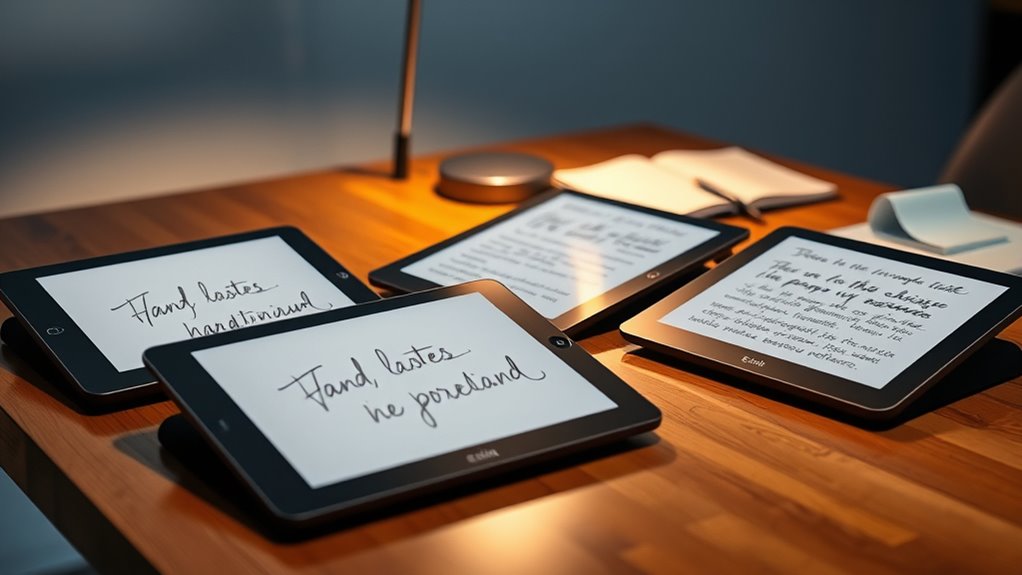

Choosing a premium tablet for handwritten notes means deciding what should matter most: a paper-like writing surface, color, a familiar library of reading tools, or access to Android apps. I rank the reMarkable Paper Pro with Book Folio first for its large color E Ink canvas and complete writing bundle. The BOOX Note Air 5 C is my pick for Android app flexibility on a color E Ink screen, while the Kindle Scribe makes the strongest case for readers who also want handwriting tools and long battery life.

Get your wardrobe favorites delivered free with Prime
- Fast, free delivery on millions of items
- Prime Video, Amazon Music and more included
- Member-only deals all year
The tradeoffs are substantial. Color E Ink is easier on the eyes than an LCD for long reading and writing sessions, but its colors are muted and its refresh is slower. The XPPen offers a fast, colorful Android experience, though its display is LCD, not E Ink. And the two reMarkable listings share the same tablet platform, so the meaningful difference is the included folio—not a different screen or note system. I weigh writing, reading, and practical fit rather than treating every feature as equally valuable.
Key Takeaways
- The reMarkable Paper Pro with Basalt Book Folio is the strongest all-around writing choice here; its included folio distinguishes it from the otherwise similar Marker Plus bundle.
- The BOOX Note Air 5 C pairs color E Ink with Android 15, but color content is lower resolution and some standard apps may feel poorly suited to the slower screen.
- The Kindle Scribe prioritizes glare-free reading, a pen that needs no charging, and handwriting tools, rather than open Android app access.
- The XPPen Magic Note Pad has the broadest conventional tablet feel and fast LCD refresh, but it is not an E Ink tablet and has documented multitasking limits.
- For long handwritten notes, choose by screen behavior and software workflow first; storage, cameras, and color matter less unless they match your daily tasks.
| reMarkable Paper Pro with Marker Plus and Basalt Book Folio |  | Best Overall — the most complete paper-like writing bundle | Display: 11.8-inch Canvas Color display | Reading light: Adjustable | Included pen: Marker Plus with built-in eraser | VIEW ON AMAZON | See Our Full Breakdown |
| BOOX Note Air 5 C 10.3-inch Color E Ink Tablet |  | Best for Android flexibility — color E Ink with app access | Screen: 10.3-inch Kaleido 3 Color E Ink | Resolution: 2480 × 1860 black-and-white; 1240 × 930 color | Operating system: Android 15 | VIEW ON AMAZON | See Our Full Breakdown |
| Kindle Scribe 32GB with Premium Pen |  | Best for reading-first note takers — simple writing and a glare-free page | Display: 10.2-inch Paperwhite, 300 ppi, front-lit | Storage: 32GB | Device weight: 433g | VIEW ON AMAZON | See Our Full Breakdown |
| reMarkable Paper Pro with Marker Plus and Basalt Book Folio | | Best bundle for protected everyday carry — the folio is the deciding extra | Display: 11.8-inch Canvas Color display | Reading light: Adjustable | Included pen: Marker Plus with built-in eraser | VIEW ON AMAZON | See Our Full Breakdown |
| XPPen Magic Note Pad 10.95-Inch Android Tablet |  | Best LCD alternative — fast, app-friendly notes, but not E Ink | Display: 10.95-inch AG nano-etched LCD | Display modes: Monochrome LCD, Light Color, and Nature Color | Refresh rate and brightness: 90Hz; 400 nits | VIEW ON AMAZON | See Our Full Breakdown |
| premium eink tablets for note taking | Display | Connectivity | Included pen |
|---|---|---|---|
| reMarkable Paper Pro with Mark | 11.8-inch Canvas Color display | USB-C | Marker Plus with built-in eraser |
| BOOX Note Air 5 C 10.3-inch Co | — | Wi-Fi and Bluetooth 5.1 | — |
| Kindle Scribe 32GB with Premiu | 10.2-inch Paperwhite, 300 ppi, front-lit | Wi-Fi 5 and Bluetooth 5.2 | Premium Pen, no charging required |
| reMarkable Paper Pro with Mark | 11.8-inch Canvas Color display | USB-C | Marker Plus with built-in eraser |
| XPPen Magic Note Pad 10.95-Inc | 10.95-inch AG nano-etched LCD | — | — |
More Details on Our Top Picks
reMarkable Paper Pro with Marker Plus and Basalt Book Folio
I put this reMarkable first because it gives note takers the clearest focus: an 11.8-inch color E Ink canvas, a Marker Plus with a built-in eraser, and an included Basalt Book Folio. That larger writing area is useful for meeting notes, diagrams, and PDF markup where a compact page can feel cramped. Folders and tags support a deliberate notebook system, and handwriting-to-text conversion helps when handwritten material needs to become editable text.
Compared with the Marker Plus listing without a folio, the tablet’s core writing proposition is essentially the same; the added cover is the practical distinction. Against the BOOX Note Air 5 C, reMarkable is more focused on a purpose-built notebook workflow, while BOOX offers Android app installation and a microSD slot. The reMarkable’s low-glare screen and adjustable reading light also make it easier to adapt to varied lighting than a device without a listed adjustable light.
The tradeoff is that its marker is designed specifically for this color display, limiting the appeal of the pen as a general-purpose accessory. Its focused approach also suits people who want a writing-first device more than those seeking a conventional tablet app environment. I would choose it for handwritten work and document annotation, not as a replacement for a versatile Android tablet.
Pros:- Large 11.8-inch color E Ink display supports notes, sketches, and reading.
- Marker Plus includes a built-in eraser and six spare tips.
- Folders, tags, PDF annotation, and handwriting-to-text conversion support a complete notebook workflow.
- Adjustable reading light and included Basalt Book Folio improve practical day-to-day use.
Cons:- Marker is designed to work exclusively with the reMarkable color display.
- Less suited than BOOX to buyers who want to install Android apps.
- Larger screen and folio bundle are less compact than a basic notebook setup.
Best for: Writers, students, and professionals who want a large color E Ink notebook with a folio and a clear, writing-centered workflow.
Not ideal for: Buyers who need broad Android app support, a pen that works across devices, or the most compact note-taking setup.
- Display:11.8-inch Canvas Color display
- Reading light:Adjustable
- Included pen:Marker Plus with built-in eraser
- Spare pen tips:6
- Included cover:Basalt Book Folio in premium Mosaic weave
- Connectivity:USB-C
- Note features:Folders and tags, PDF annotation, handwriting-to-text conversion
Our verdict“I rank this first for note takers who want the most complete, paper-like color E Ink package without giving up PDF and handwriting tools.”
BOOX Note Air 5 C 10.3-inch Color E Ink Tablet
The BOOX Note Air 5 C is the most adaptable E Ink option in this lineup. Its Kaleido 3 color screen gives notes and documents color, while Android 15 makes it possible to install third-party apps. That combination suits someone whose work crosses between handwritten notes, reading, and services outside a closed notebook ecosystem. The 10.3-inch screen is smaller than the reMarkable Paper Pro’s 11.8-inch display, but its 430-gram weight and microSD slot make it a compelling portable work device.
Compared with reMarkable, BOOX favors flexibility over a more dedicated notebook feel. It provides 64GB of storage, 6GB RAM, Wi-Fi, Bluetooth, and an octa-core processor, but app compatibility is not guaranteed to feel like it does on a fast LCD tablet. Color E Ink refreshes more slowly, and color resolution is lower than its black-and-white mode. That matters when a buyer expects vivid illustrations, rapid scrolling, or crisp color details.
For long reading and annotation sessions, its E Ink display is a more suitable choice than the XPPen’s LCD. For lively video, fast visual interaction, or apps built around frequent animation, XPPen is the better match despite not being E Ink. I see BOOX as the pick for people willing to manage those screen limitations in exchange for Android app choice on E Ink.
Pros:- Color E Ink supports reading and annotation with less screen glare than a conventional LCD.
- Android 15 permits installation of third-party apps.
- MicroSD expansion complements the included 64GB storage.
- 430-gram body, stylus input, speakers, and microphone suit a portable productivity role.
Cons:- Color resolution is lower than black-and-white mode, at 150 ppi versus 300 ppi.
- Color E Ink is darker and refreshes more slowly than LCD or OLED.
- Some mobile apps may perform poorly or display incorrectly on the E Ink screen.
Best for: E Ink users who want Android app installation, color document markup, and a portable tablet with expandable storage.
Not ideal for: Readers who expect bright, high-resolution color, fast animation, or every Android app to behave like it does on an LCD.
- Screen:10.3-inch Kaleido 3 Color E Ink
- Resolution:2480 × 1860 black-and-white; 1240 × 930 color
- Operating system:Android 15
- Processor and memory:Octa-core processor; 6GB RAM
- Storage:64GB plus microSD card slot
- Input:Capacitive touch and stylus, 4,096 pressure levels
- Weight:430g
- Connectivity:Wi-Fi and Bluetooth 5.1
Our verdict“I recommend the Note Air 5 C when Android freedom matters more than vivid color or a strictly dedicated notebook experience.”
Kindle Scribe 32GB with Premium Pen
I’d choose the Kindle Scribe for a reader who wants to write in the margins of a digital reading life, not for someone who wants an open app platform. Its 10.2-inch, 300 ppi front-lit Paperwhite screen is tailored to text, and the included Premium Pen does not require charging. The product description also lists handwriting conversion, note summaries, tone adjustment, PDF annotation, and broad document-format support, giving readers useful ways to work with written material.
Compared with the reMarkable Paper Pro, the Scribe is less focused on a large color canvas and more closely tied to reading. The reMarkable has a larger 11.8-inch color display, folders and tags, and an adjustable reading light; the Scribe instead emphasizes a sharp monochrome reading screen and stated battery life of up to 12 weeks for reading or up to three weeks for writing. Those figures describe different uses, so they should not be treated as a direct guarantee for every routine.
The Scribe is refurbished, which means buyers should accept that minor cosmetic imperfections may be present. It is Wi-Fi only, and the supplied information does not describe Android app access like BOOX offers. I would skip it if color notes or an open software environment are central. For reading-heavy users who want to annotate and keep handwritten notes beside their books, it is the most coherent fit here.
Pros:- 10.2-inch front-lit screen has a stated 300 ppi resolution for crisp text.
- Premium Pen does not need charging.
- Handwriting conversion, summaries, tone adjustment, and PDF annotation extend beyond basic reading.
- Listed battery life reaches up to 12 weeks for reading and up to three weeks for writing.
Cons:- Refurbished condition may include minor cosmetic imperfections.
- Wi-Fi only, with no cellular connectivity.
- Reading-first focus offers less app flexibility than the Android-based BOOX.
Best for: Readers who want a glare-free text-focused E Ink screen, a no-charge pen, and note tools for books and documents.
Not ideal for: Buyers who need color E Ink, Android app choice, cellular connectivity, or a new rather than refurbished device.
- Display:10.2-inch Paperwhite, 300 ppi, front-lit
- Storage:32GB
- Device weight:433g
- Included pen:Premium Pen, no charging required
- Reading battery life:Up to 12 weeks per charge
- Writing battery life:Up to 3 weeks per charge
- Connectivity:Wi-Fi 5 and Bluetooth 5.2
- Condition and warranty:Refurbished; 1-year limited warranty
Our verdict“I’d pick the Kindle Scribe for a reader who wants dependable monochrome reading and handwriting tools in one device.”
reMarkable Paper Pro with Marker Plus and Basalt Book Folio
This listing shares its product name and ASIN with the overall pick, so I treat it as the same reMarkable Paper Pro configuration, not a separate tablet generation or a distinct writing experience. Its role here is to make the bundle distinction explicit for buyers comparing accessory inclusions: it includes the Basalt Book Folio alongside Marker Plus and spare tips. If a protective cover is part of the setup you want from day one, that can matter more than another specification on a device whose core writing tools are already strong.
The 11.8-inch Canvas Color display, adjustable reading light, folders and tags, PDF annotation, and handwriting conversion make it the more complete carry-ready option than the separate reMarkable listing without a folio. Against the BOOX Note Air 5 C, it trades Android 15 and expandable storage for a more contained writing workflow and a larger screen. It also stands apart from Kindle Scribe through color E Ink and its broader notebook-centered emphasis rather than a reading-first focus.
The limitation remains the same as the overall pick: Marker Plus is designed exclusively for this reMarkable color display. Buyers also should not assume that the folio turns it into a general-purpose tablet; the key advantage is protection and a ready-to-carry notebook bundle. Since the supplied catalog data duplicates the first reMarkable listing, I would compare the actual accessory details on the listing before choosing between them.
Pros:- Includes the 11.8-inch color E Ink Paper Pro and Marker Plus.
- Basalt Book Folio is included rather than requiring a separate cover choice.
- Folders, tags, PDF annotation, and handwriting conversion support organized work.
- Adjustable reading light complements the low-glare display.
Cons:- The supplied listing duplicates the first reMarkable product and does not establish a different tablet configuration.
- Marker is designed exclusively for the reMarkable color display.
- A dedicated notebook workflow is less flexible than Android on the BOOX.
Best for: Buyers who want the reMarkable Paper Pro writing setup with the Basalt Book Folio included for everyday carrying.
Not ideal for: People seeking a genuinely different tablet from the other reMarkable entry, or buyers who prioritize Android apps and cross-device pen use.
- Display:11.8-inch Canvas Color display
- Reading light:Adjustable
- Included pen:Marker Plus with built-in eraser
- Spare pen tips:6
- Included cover:Basalt Book Folio in premium Mosaic weave
- Connectivity:USB-C
- Note features:Folders and tags, PDF annotation, handwriting-to-text conversion
Our verdict“Choose this reMarkable bundle for its included folio, while treating its writing experience as the same as the overall pick.”
XPPen Magic Note Pad 10.95-Inch Android Tablet
The XPPen Magic Note Pad is the clear outlier in a roundup of E Ink tablets: its 10.95-inch display is an anti-glare, nano-etched LCD. I include it because its paper-like surface, X3 Pro Pencil, handwriting conversion, audio recording, and PDF editing make it relevant to note takers who may prefer a conventional Android tablet feel. A 90Hz refresh rate, 400-nit brightness, and three display modes make it better suited than E Ink choices to users who want smoother screen movement and full color.
Compared with the BOOX Note Air 5 C, the XPPen offers a faster LCD and Google Play app support, while BOOX remains the authentic color E Ink option for low-glare reading and reflective-screen writing. It also has a front camera, speakers, microphones, 128GB storage, and an 8,000mAh battery listed, making it more meeting-oriented than the reMarkable notebooks. Its X3 Pro Pencil supports pressure-sensitive input and a customizable shortcut key.
That flexibility comes with meaningful limits. The product description specifically advises avoiding multiple apps running at the same time, and its etched-glass display has a narrow viewing angle. Most importantly, this is not an E Ink choice for readers seeking that display technology’s reflective character. I’d rank it fifth because it is a capable note-taking alternative, but the title’s E Ink requirement makes it a less direct match.
Pros:- Anti-glare etched LCD offers a paper-like writing surface with 90Hz refresh.
- X3 Pro Pencil supports pressure sensitivity and a customizable shortcut key.
- Note app includes handwriting conversion, audio recording, and PDF editing.
- Android 14 and Google Play support a broader app selection than a dedicated notebook.
Cons:- Uses LCD rather than E Ink.
- Etched-glass screen has a narrow viewing angle.
- Product description recommends avoiding multiple apps running at once.
Best for: Note takers who want Android apps, a fast color LCD, audio recording, and meeting features more than E Ink.
Not ideal for: Buyers specifically seeking an E Ink screen, wide viewing angles, or a device intended for heavy app multitasking.
- Display:10.95-inch AG nano-etched LCD
- Display modes:Monochrome LCD, Light Color, and Nature Color
- Refresh rate and brightness:90Hz; 400 nits
- Operating system:Android 14
- Memory and storage:6GB RAM; 128GB storage
- Stylus:X3 Pro Pencil 2, 16,384 pressure levels
- Battery:8,000mAh; 20W charging
- Weight and thickness:495g; 7mm
Our verdict“I’d choose the XPPen only when Android versatility and LCD speed matter more than meeting the E Ink brief.”

How We Picked
I ranked these options around the job named in the title: taking and organizing handwritten notes on a premium screen. I gave the most weight to writing-focused features, including stylus support, note organization, handwriting conversion, PDF annotation, and how the display type suits sustained reading and writing. A tablet can have a long feature list yet still be a poor fit if its screen or software workflow distracts from the notebook experience.
I also separated genuine E Ink devices from the XPPen, which uses an anti-glare LCD. Its paper-like surface and note tools are relevant alternatives, but the faster, brighter LCD experience is not the same as E Ink’s reflective, low-refresh display. I then weighed app flexibility, portability, included accessories, stated battery details, and clear drawbacks. The two reMarkable Paper Pro listings receive different roles because one includes the Basalt Book Folio; their core display and note features are otherwise alike. I do not infer unlisted performance, compare on price, or treat a longer specification list as automatic proof of a better writing tablet.
| premium eink tablets for note taking | Included pen | Connectivity |
|---|---|---|
| reMarkable Paper Pro with Mark | Marker Plus with built-in eraser | USB-C |
| BOOX Note Air 5 C 10.3-inch Co | — | Wi-Fi and Bluetooth 5.1 |
| Kindle Scribe 32GB with Premiu | Premium Pen, no charging required | Wi-Fi 5 and Bluetooth 5.2 |
| reMarkable Paper Pro with Mark | Marker Plus with built-in eraser | USB-C |
| XPPen Magic Note Pad 10.95-Inc | — | — |
Factors to Consider When Choosing Premium Eink Tablets For Note Taking
I’d make the screen and writing workflow the first two decisions. A bigger number of apps or more storage will not compensate if the display feels wrong for your eyes, or if getting notes back out of the tablet is awkward. These distinctions separate the five options more clearly than a feature checklist.
Choose E Ink or LCD before comparing extras
The reMarkable, BOOX, and Kindle use E Ink, but they do not deliver the same experience. The reMarkable and BOOX add color, with the expected tradeoff of muted color and slower refresh than an LCD. The Kindle Scribe is the text-focused monochrome option, with a stated 300 ppi display. XPPen’s LCD refreshes at 90Hz and supports full color, but it is not E Ink. If your main routine is reading and handwritten notes, prioritize E Ink; if you want smoother movement and conventional tablet behavior, weigh the XPPen while accepting the screen-type difference.
Match the screen size to the notes you write
The reMarkable’s 11.8-inch canvas gives diagrams, larger handwriting, and full-page PDF markup more room. BOOX and XPPen sit nearer 10 to 11 inches, while Kindle is 10.2 inches. A smaller tablet may feel easier to carry, but dense lecture notes or side-by-side document work can benefit from more page area. Think about whether you write in compact lists or spread ideas across a page; that habit matters more than a modest size difference on a spec sheet.
Decide how much software freedom you need
BOOX and XPPen run Android, with Google Play support specifically listed for XPPen. This offers broader app choice, but BOOX warns of a different screen experience: some mobile apps may look wrong or perform poorly on color E Ink. XPPen’s description cautions against running many apps at once. reMarkable and Kindle are better approached as focused writing and reading tools. I’d choose an open platform only if I can name the apps I need; otherwise, a simpler notebook workflow may be easier to maintain.
Check the note tools you will actually use
Handwriting conversion appears on reMarkable, XPPen, and Kindle; reMarkable also lists folders, tags, and PDF annotation. XPPen adds audio recording and PDF editing, which can suit recorded meetings, while Kindle includes note summaries and tone adjustment in its described AI tools. BOOX supports stylus input and document annotation, but the supplied details give fewer specifics about its built-in notebook features. Separate must-haves from occasional extras: for many buyers, reliable handwriting and easy PDF markup matter more than a camera or speaker.
Treat included accessories and condition as real differences
The reMarkable bundle with the Basalt Book Folio includes a cover and Marker Plus with spare tips. The other supplied reMarkable product description names Marker Plus and spare tips but does not list a folio, so check the exact listing contents rather than assuming it is included. Kindle’s Premium Pen needs no charging, while the reMarkable marker is designed specifically for its color display. The Kindle listing is refurbished, so a buyer should be comfortable with that condition and the possibility of cosmetic imperfections.
Keep the duplicate reMarkable listing in perspective
The product data gives the two reMarkable entries the same title and ASIN, and their tablet features match. I do not count them as distinct hardware choices. Their possible buying distinction is the listed accessory bundle, particularly the Basalt Book Folio. Confirm the live listing and included contents before deciding; the duplicate entry does not represent an alternative reMarkable screen, note system, or performance tier.
Frequently Asked Questions
Which option is the strongest choice for handwritten notes?
I rank the reMarkable Paper Pro with Basalt Book Folio first for its large color E Ink screen, Marker Plus, adjustable light, folders, tags, PDF annotation, and handwriting conversion. It is a focused writing tool rather than a general Android tablet. If installing third-party apps matters more than a dedicated notebook workflow, I’d look at the BOOX Note Air 5 C instead.
Is the XPPen Magic Note Pad an E Ink tablet?
No. The XPPen Magic Note Pad uses a nano-etched LCD with a 90Hz refresh rate and three display modes. Its anti-glare surface and writing tools make it relevant to note taking, but it does not provide an E Ink display. I’d consider it if smoother movement and Android apps are more important than choosing E Ink specifically.
How does the BOOX Note Air 5 C differ from the reMarkable Paper Pro?
Both offer color E Ink and stylus input, but BOOX runs Android 15 and supports third-party apps and microSD storage. The reMarkable has a larger 11.8-inch display and a more focused notebook workflow with folders, tags, and handwriting conversion. BOOX is the more flexible choice; reMarkable is the more direct fit for buyers who want a writing-centered device.
Which tablet is best if I mainly read books as well as take notes?
I’d start with the Kindle Scribe if reading text is the main task. Its 10.2-inch front-lit screen is listed at 300 ppi, and its Premium Pen does not need charging. The reMarkable and BOOX make more sense when color notes or a broader notebook workflow carry more weight. Keep in mind that the Kindle product here is refurbished.
Are the two reMarkable Paper Pro products different tablets?
The supplied product information lists the same reMarkable Paper Pro title and ASIN for both entries, with matching screen and note features. The first listing specifies a Basalt Book Folio, while the other description does not list one. I would treat them as the same core tablet and verify the exact included accessories on the listing rather than assume a hardware difference.
Conclusion
My recommendation depends on what your notes need to do. Choose the reMarkable Paper Pro with Basalt Book Folio for a large, focused color E Ink notebook and an included carry cover. Pick the BOOX Note Air 5 C if third-party Android apps are part of your workflow and you accept slower, lower-resolution color. Go with the Kindle Scribe when reading is the main event and handwriting tools are the companion feature. The XPPen Magic Note Pad suits people who want an LCD and Android experience, not those set on E Ink. Finally, the second reMarkable entry is not a distinct tablet in the supplied data: compare its accessory listing with the folio bundle before choosing.
Halloween Picks

HOPOCO Halloween Pumpkin Fog Machine with 12 LED Colors & Remote Control

Govee Outdoor Halloween Projector Light, 3D Dynamic Visual Holiday Decor

DomKom 6 ft Halloween Inflatable Ghosts Roasting Marshmallows
As an affiliate, we earn on qualifying purchases.